The short answer
You do not need to give an expense tracker your net banking username and password. You should not, and no legitimate app will ask.
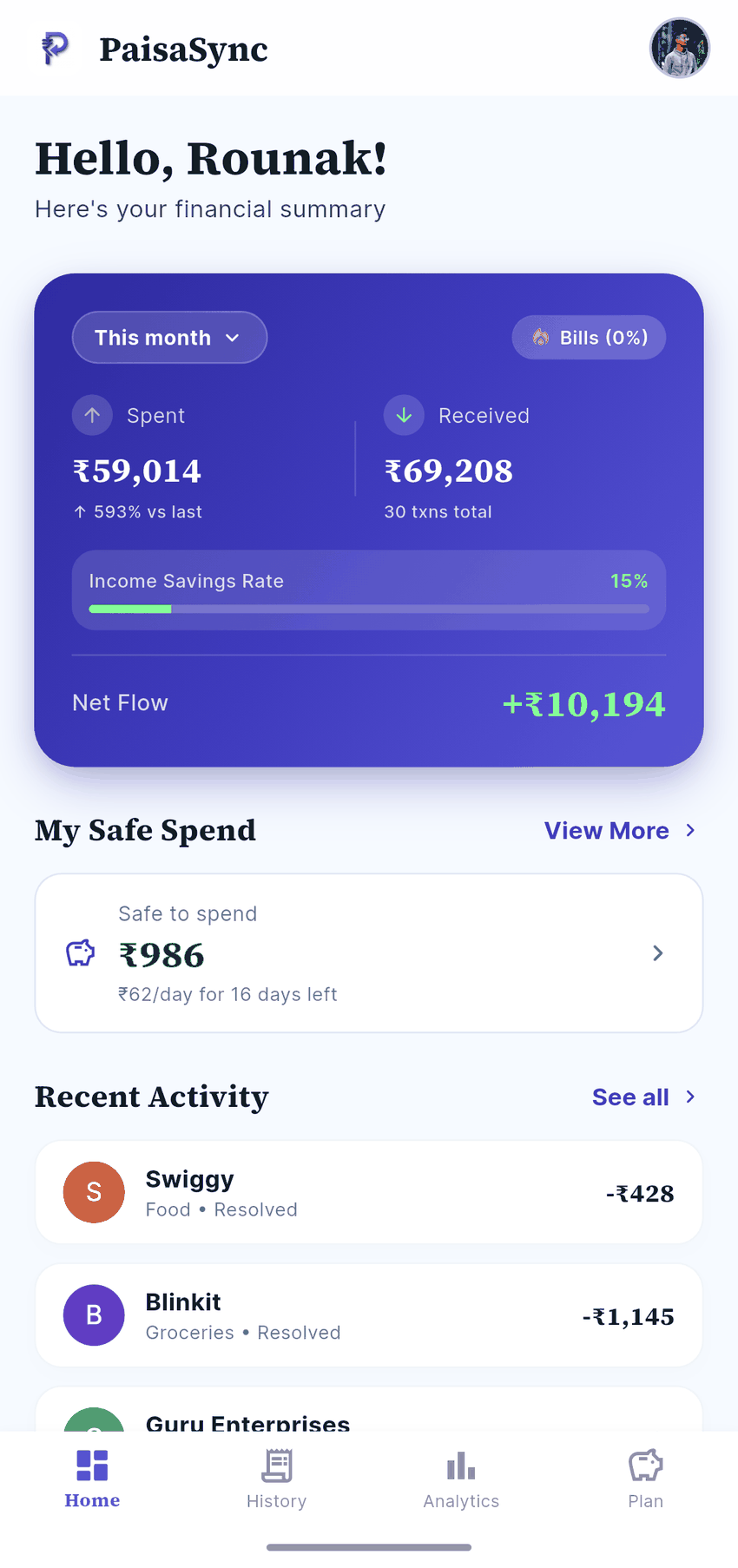
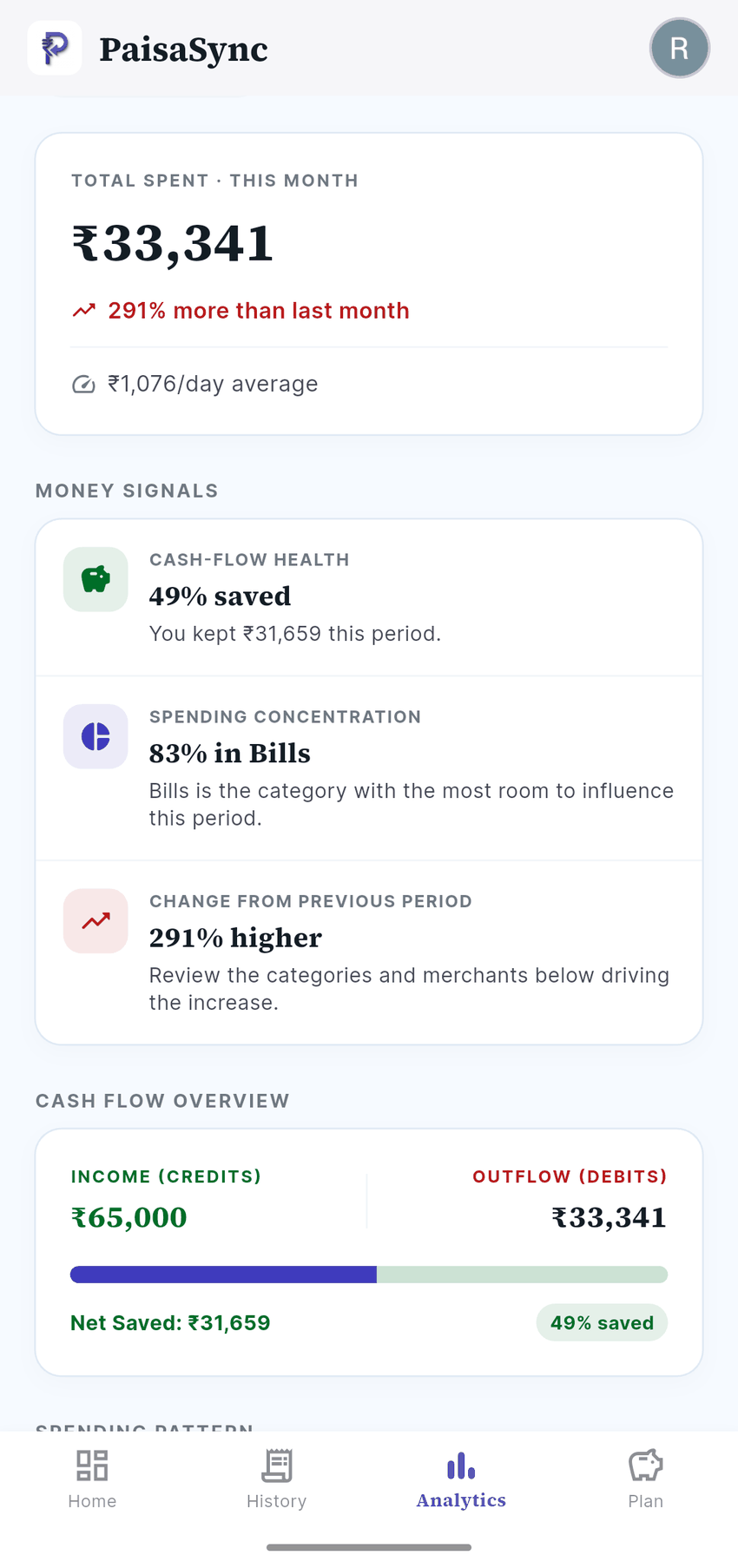
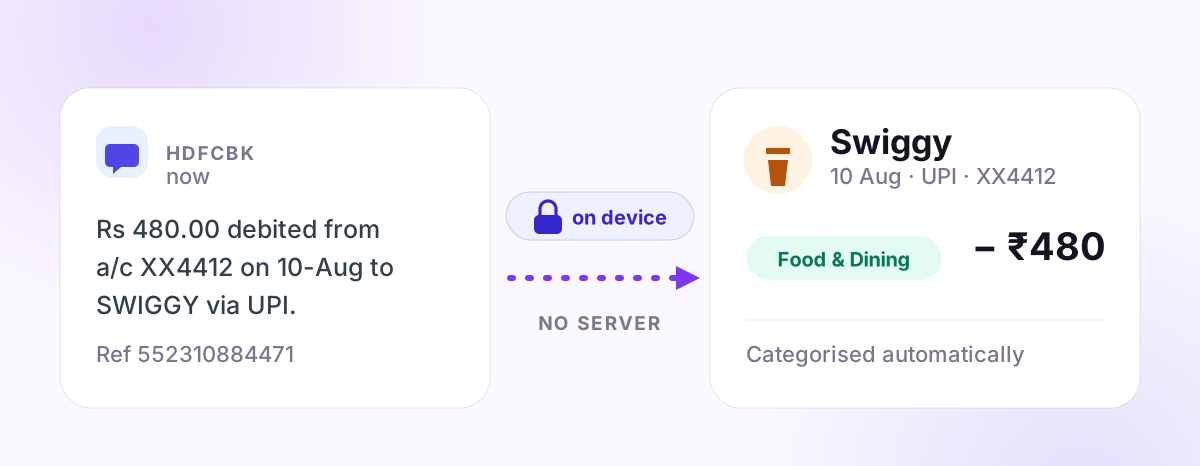
Your bank already texts you every time money leaves your account. An app that reads those messages on your phone can build a complete picture of your spending without ever holding a credential, without a server, and without an internet connection. That is the whole mechanism.
The catch — and every article on this topic skips it — is that this only works for money your bank actually texts you about. Below is an honest account of the three ways apps see your transactions, what each costs you, and where each one breaks.
I build PaisaSync, which uses the third method. If you already know that local SMS tracking is what you want, see our automatic UPI expense tracker for India. I have tried to be straight about its limits here, because you are going to hit them in week one anyway.
The three ways an app can see your money
1. Your net banking credentials
The oldest and worst approach. You hand over your bank username and password, and the app logs in as you to read statements.
Do not do this. Three reasons:
- It almost certainly violates your bank's terms. Most Indian banks' conditions of use state that sharing credentials makes you liable for resulting losses. If money disappears, the fraud protection you were counting on may not apply.
- Anything that can read your statement can usually move your money. There is rarely a read-only version of a net banking login.
- Your credentials now live somewhere else. Even a well-run company gets breached. A company that asked for your bank password in the first place is not demonstrating good judgment about risk.
If an app asks for net banking credentials, that is a complete answer about the app. Close it.
2. Account Aggregator
The regulated option. RBI's Account Aggregator framework lets you grant an app consent to fetch your financial data through a licensed intermediary — no credential sharing, revocable, with a defined scope and expiry.
This is genuinely good infrastructure, and for things like loan underwriting or a full net-worth picture across institutions, it is the right tool. But for day-to-day expense tracking it has real friction:
- Your bank has to participate, and coverage is still uneven.
- Consent expires and has to be renewed, which means the tracking silently stops until you notice.
- Your transaction data leaves your phone. That is inherent to the design — the data flows through the AA to the app's servers. It is regulated and consented, which is meaningfully different from careless, but it is not local.
If you want your spending history to exist in exactly one place — your phone — Account Aggregator is not that.
3. Reading bank SMS on your device
Your bank sends you a message for every debit. Those messages contain the amount, usually the merchant, often the account's last four digits. A parser on your phone can turn them into a spending ledger.
What this buys you:
- No credentials, ever. There is nothing to steal, because the app never has access to your account — only to messages about it.
- It works offline. Parsing is arithmetic on text. No connection required.
- The data can stay local. Nothing forces a transaction to leave the device.
That last point is a can, not a does. Plenty of SMS-based apps upload everything to a server anyway. The mechanism doesn't guarantee the privacy — the implementation does. There's a checklist further down for telling the difference.
Comparing them honestly
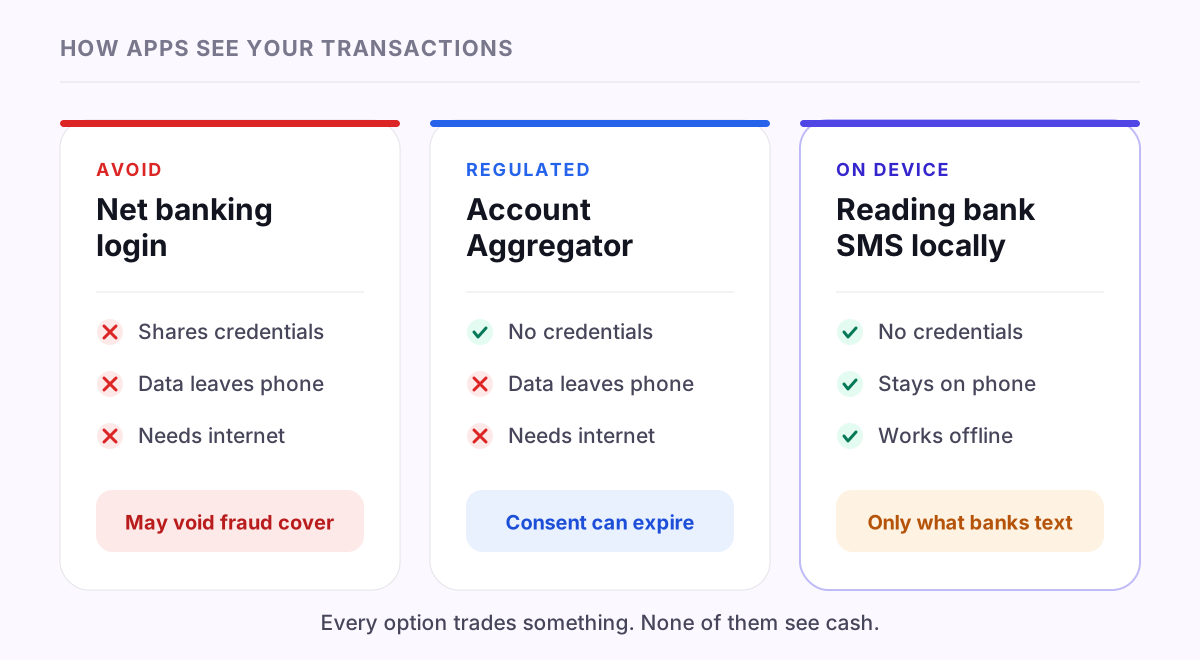
| Net banking login | Account Aggregator | On-device SMS | |
|---|---|---|---|
| Shares credentials | Yes | No | No |
| Data leaves your phone | Yes | Yes | Not necessarily |
| Works offline | No | No | Yes |
| Coverage | Wide | Uneven, growing | Only what your bank texts |
| Catches cash | No | No | No |
| Regulated | No | Yes (RBI) | No |
There is no row where one option wins everything. SMS parsing trades regulatory backing and guaranteed coverage for the thing most people actually want day to day: no credentials, no server, no setup.
Where SMS parsing genuinely fails
This is the section I would want to read before installing anything.
Some banks and cards don't send transactional SMS at all, or send them only above a threshold amount. Nothing an app can do about it. Those transactions need to be entered by hand, or they are simply missing. This is the single biggest limitation of the approach, and any app claiming otherwise is overselling.
UPI Lite typically produces no per-transaction SMS. It is an on-device wallet designed for small payments that settle without hitting your bank account each time — which is exactly what makes it fast, and exactly why there is no message to parse.
Cash is invisible. Obviously, but worth saying: no automatic method sees a ₹40 chai.
Some wallet-internal movement never touches your bank. Money already sitting in a wallet, spent from that wallet, may generate nothing your bank knows about.
SMS formats change without warning. Banks redesign their alerts, and a parser that handled the old format may miss the new one until it is updated. Any honest app in this category is in a permanent state of catching up, and one that claims to handle every bank perfectly is describing an aspiration.
A realistic expectation: automatic capture handles the large majority of digital spending, and you top up the rest manually. That is still an enormous improvement over logging everything by hand — but it is not zero effort, and you should not believe anyone who says it is.
The part nobody explains: why trackers miss transactions
If you have used an automatic tracker before and found gaps, this is usually why.
Android apps can be told about an SMS the moment it arrives — but only while the app's process is alive. If the phone's battery optimiser has killed it, or you swiped it away, or the manufacturer's aggressive memory management froze it, that notification is simply never delivered. On many Indian Android skins this happens constantly.
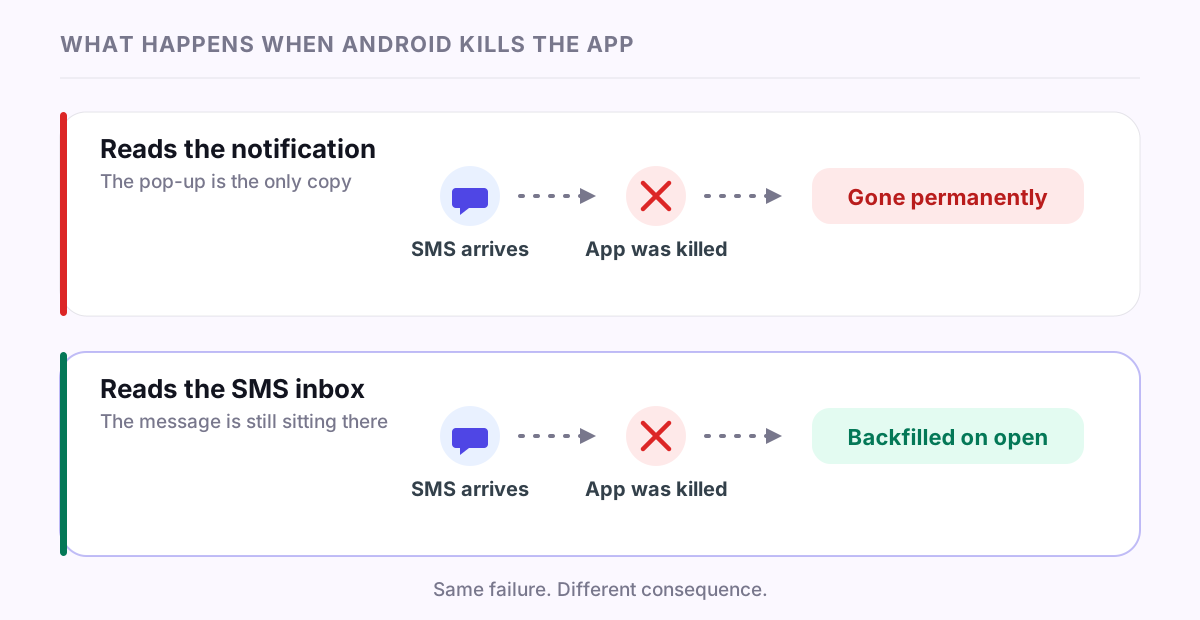
Here is the important distinction between approaches:
- Apps built on notification listeners read the pop-up rather than the message. If they miss it, it is gone forever. There is nothing to go back to.
- Apps that read the SMS inbox can recover. The message is still sitting there. Open the app and it can scan for anything it missed and backfill.
That second design is why PaisaSync does both — a live receiver for instant capture, and an inbox scan on open that catches whatever the live path lost. Missed messages self-heal. It is the difference between a permanent hole in your history and a short delay.
When you are evaluating any tracker, this is worth asking directly: if the app gets killed, do I lose those transactions permanently?
How to check an app is actually private
Marketing copy is free. These four checks are not.
- Read the Data Safety section on its Play Store listing. It is a binding declaration, not a slogan. If the app says "we never upload your data" on its website but declares financial data collection on Play, believe Play.
- Once you're set up, turn on airplane mode and use it. If tracking keeps working with no connection, the parsing really is happening locally. If it stalls, your transactions are going somewhere.
- Look at what permissions it asks for, and when. SMS access is a restricted permission — Google requires apps requesting it to declare and justify a permitted use, and reviews them for it. An expense tracker asking for contacts or location has some explaining to do.
- If it asks you to sign in, work out what the sign-in is actually for. An account is not automatically a red flag — plenty of local-first apps use one to identify you, remember your settings or manage a paid tier. PaisaSync asks you to sign in with Google for exactly that reason. The question that matters is different: does signing in cause my transactions to travel with me? If your spending history appears on a second device after logging in there, it was never only on the first one.
Also worth knowing your rights: under India's Digital Personal Data Protection Act, you can ask a company what personal data it holds about you and require its deletion. An app holding nothing has nothing to hand over — which is the strongest privacy guarantee available, because it doesn't depend on the company's ongoing good behaviour.
So, practically
If you want automatic expense tracking in India without handing over bank credentials:
- Rule out anything asking for net banking login details.
- Use Account Aggregator if you need verified, complete, cross-institution data and are comfortable with it living on a server.
- Use on-device SMS parsing if you want your spending history to stay on your phone, work offline, and never link a bank account — and you can accept manual entry for the gaps.
PaisaSync is the third kind: it reads bank and UPI messages on your device, categorises them locally, and keeps transactions in a database on your phone rather than on our servers. It asks you to sign in with Google, which is how your account and settings are identified — but your transactions are not part of that, and they stay on the device. It is Android-only, because Apple does not permit any app to read SMS — that is a platform restriction, not a roadmap item.
It's launching on Google Play shortly. If you'd like to know when, the form below will tell you and nothing else.